
API 設計のベストプラクティス:REST vs GraphQL 実務比較ガイド
REST と GraphQL どちらを選ぶべきか?設計パターン・エラーハンドリング・バージョニング・認証まで、受託開発の現場で即使える API 設計の実践ガイドを具体例とともに解説します。
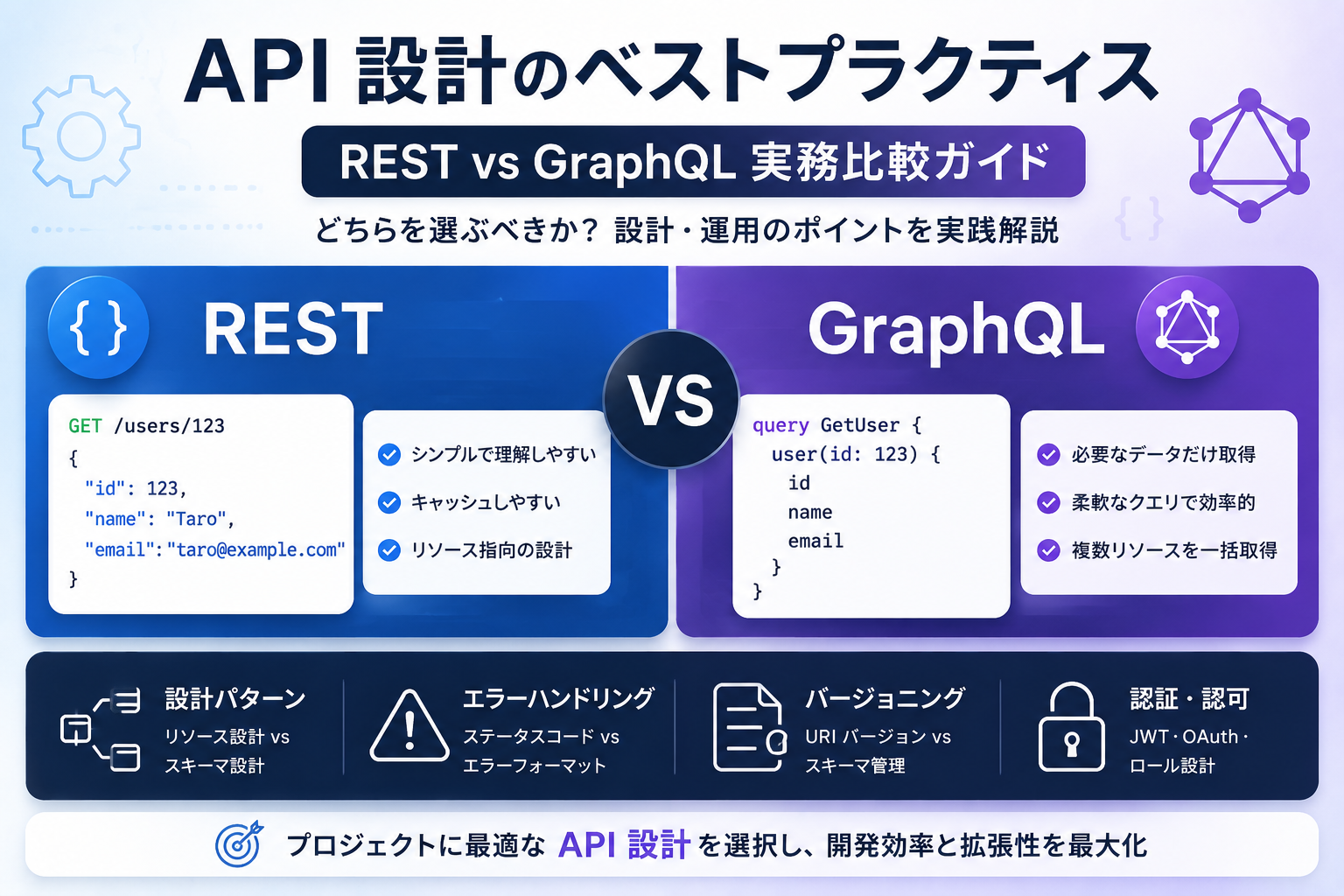
API 設計のベストプラクティス:REST vs GraphQL 実務比較ガイド
Web アプリケーション開発において、API 設計はフロントエンドとバックエンドの連携を決定づける重要な要素です。受託開発の現場では「REST で十分か、それとも GraphQL を採用すべきか」という判断を迫られることが頻繁にあります。
本記事では、REST と GraphQL の特徴を実務視点で比較し、設計パターン・エラーハンドリング・バージョニング・認証まで、すぐに使える実践的なガイドラインを提供します。
1. REST と GraphQL の基本比較
1.1 技術的特徴の比較
| 項目 | REST | GraphQL | |------|------|----------| | データ取得 | 複数エンドポイント | 単一エンドポイント | | Over-fetching | 発生しやすい | 必要なフィールドのみ取得 | | Under-fetching | 複数リクエスト必要 | 1回のクエリで解決 | | 型安全性 | OpenAPI/Swagger で補完 | スキーマで保証 | | キャッシュ | HTTP キャッシュが使える | 実装が複雑 | | 学習コスト | 低い | 中〜高 | | ツールエコシステム | 成熟 | 急速に成長中 | | モバイル対応 | 良好 | 非常に良好(通信量削減) |
1.2 選定フローチャート
REST を選ぶべきケース:
- シンプルな CRUD 操作が中心
- エンドポイント数が少ない(10個未満)
- HTTP キャッシュを活用したい
- チームに REST の経験がある
- 外部公開 API(RESTful が標準的)
GraphQL を選ぶべきケース:
- 複雑なデータ関係の取得が頻繁
- モバイルアプリで通信量を最小化したい
- フロントエンドが多様(Web・iOS・Android)
- リアルタイム機能(Subscription)が必要
- 開発速度を重視(フロント・バックの並行開発)
2. REST API 設計の実践パターン
2.1 リソース設計の原則
RESTful な設計では、URL をリソースの階層として表現します。
// ✅ 良い例:リソース指向
GET    /api/v1/users              // ユーザー一覧
GET    /api/v1/users/:id          // 特定ユーザー
POST   /api/v1/users              // ユーザー作成
PATCH  /api/v1/users/:id          // ユーザー更新
DELETE /api/v1/users/:id          // ユーザー削除

// ネストしたリソース
GET    /api/v1/users/:id/posts    // 特定ユーザーの投稿一覧
GET    /api/v1/posts/:id/comments // 特定投稿のコメント一覧

// ❌ 避けるべき例:動詞を含む
POST   /api/v1/createUser
GET    /api/v1/getUserPosts
2.2 ステータスコードの使い分け
| コード | 用途 | 具体例 | |--------|------|--------| | 200 OK | 成功(レスポンスボディあり) | GET, PATCH | | 201 Created | リソース作成成功 | POST | | 204 No Content | 成功(レスポンスボディなし) | DELETE | | 400 Bad Request | リクエスト不正 | バリデーションエラー | | 401 Unauthorized | 認証エラー | トークン無効 | | 403 Forbidden | 認可エラー | 権限不足 | | 404 Not Found | リソース不在 | 存在しないID | | 409 Conflict | 競合エラー | 一意制約違反 | | 422 Unprocessable Entity | 意味的エラー | ビジネスルール違反 | | 500 Internal Server Error | サーバーエラー | 予期しない例外 |
2.3 エラーレスポンスの標準化
// types/api.ts
export interface ApiError {
  error: {
    code: string;           // エラーコード(機械可読)
    message: string;        // エラーメッセージ(人間可読)
    details?: Array<{       // 詳細エラー(バリデーションなど)
      field: string;
      message: string;
    }>;
    requestId?: string;     // トレーシング用
  };
}

// 実装例(Express)
app.use((err: Error, req: Request, res: Response, next: NextFunction) => {
  const statusCode = err instanceof ValidationError ? 400 : 500;

  const errorResponse: ApiError = {
    error: {
      code: err.name,
      message: err.message,
      details: err instanceof ValidationError ? err.details : undefined,
      requestId: req.id,
    },
  };

  res.status(statusCode).json(errorResponse);
});
2.4 ページネーション設計
// オフセットベース(シンプル、ページジャンプ可能)
GET /api/v1/posts?page=2&limit=20

// レスポンス
{
  "data": [...],
  "pagination": {
    "page": 2,
    "limit": 20,
    "total": 150,
    "totalPages": 8
  }
}

// カーソルベース(大規模データ、リアルタイム更新に強い)
GET /api/v1/posts?cursor=eyJpZCI6MTIzfQ&limit=20

// レスポンス
{
  "data": [...],
  "pagination": {
    "nextCursor": "eyJpZCI6MTQzfQ",
    "hasMore": true
  }
}
3. GraphQL API 設計の実践パターン
3.1 スキーマ設計の基本
# schema.graphql
type User {
  id: ID!
  email: String!
  name: String!
  posts: [Post!]!           # リレーション
  createdAt: DateTime!
}

type Post {
  id: ID!
  title: String!
  content: String!
  author: User!             # 逆方向のリレーション
  comments: [Comment!]!
  publishedAt: DateTime
}

type Comment {
  id: ID!
  content: String!
  author: User!
  post: Post!
  createdAt: DateTime!
}

# クエリ
type Query {
  # 単一リソース取得
  user(id: ID!): User
  post(id: ID!): Post

  # リスト取得(ページネーション)
  users(
    limit: Int = 20
    cursor: String
  ): UserConnection!

  posts(
    authorId: ID
    published: Boolean
    limit: Int = 20
    cursor: String
  ): PostConnection!
}

# Relay スタイルの Connection パターン
type UserConnection {
  edges: [UserEdge!]!
  pageInfo: PageInfo!
}

type UserEdge {
  node: User!
  cursor: String!
}

type PageInfo {
  hasNextPage: Boolean!
  endCursor: String
}

# ミューテーション
type Mutation {
  createPost(input: CreatePostInput!): CreatePostPayload!
  updatePost(input: UpdatePostInput!): UpdatePostPayload!
  deletePost(id: ID!): DeletePostPayload!
}

input CreatePostInput {
  title: String!
  content: String!
  publishedAt: DateTime
}

type CreatePostPayload {
  post: Post
  userErrors: [UserError!]!
}

type UserError {
  field: String
  message: String!
}
3.2 リゾルバー実装パターン
// resolvers/post.ts
import { GraphQLError } from 'graphql';
import type { Context } from '../context';

export const postResolvers = {
  Query: {
    post: async (
      _parent: unknown,
      { id }: { id: string },
      { prisma, user }: Context
    ) => {
      const post = await prisma.post.findUnique({
        where: { id },
      });

      if (!post) {
        throw new GraphQLError('Post not found', {
          extensions: { code: 'NOT_FOUND' },
        });
      }

      return post;
    },

    posts: async (
      _parent: unknown,
      { limit = 20, cursor, authorId, published }: {
        limit?: number;
        cursor?: string;
        authorId?: string;
        published?: boolean;
      },
      { prisma }: Context
    ) => {
      const posts = await prisma.post.findMany({
        take: limit + 1,  // hasNextPage 判定用に +1
        ...(cursor && { cursor: { id: cursor }, skip: 1 }),
        where: {
          ...(authorId && { authorId }),
          ...(published !== undefined && { publishedAt: published ? { not: null } : null }),
        },
        orderBy: { createdAt: 'desc' },
      });

      const hasNextPage = posts.length > limit;
      const edges = posts.slice(0, limit).map((post) => ({
        node: post,
        cursor: post.id,
      }));

      return {
        edges,
        pageInfo: {
          hasNextPage,
          endCursor: edges[edges.length - 1]?.cursor,
        },
      };
    },
  },

  Mutation: {
    createPost: async (
      _parent: unknown,
      { input }: { input: CreatePostInput },
      { prisma, user }: Context
    ) => {
      if (!user) {
        throw new GraphQLError('Unauthorized', {
          extensions: { code: 'UNAUTHORIZED' },
        });
      }

      // バリデーション
      const userErrors: UserError[] = [];
      if (input.title.length < 3) {
        userErrors.push({
          field: 'title',
          message: 'タイトルは3文字以上である必要があります',
        });
      }

      if (userErrors.length > 0) {
        return { post: null, userErrors };
      }

      const post = await prisma.post.create({
        data: {
          title: input.title,
          content: input.content,
          publishedAt: input.publishedAt,
          authorId: user.id,
        },
      });

      return { post, userErrors: [] };
    },
  },

  Post: {
    // N+1 問題対策:DataLoader を使用
    author: async (post: Post, _args: unknown, { loaders }: Context) => {
      return loaders.userLoader.load(post.authorId);
    },

    comments: async (post: Post, _args: unknown, { prisma }: Context) => {
      return prisma.comment.findMany({
        where: { postId: post.id },
        orderBy: { createdAt: 'desc' },
      });
    },
  },
};
3.3 DataLoader による N+1 問題対策
// loaders/userLoader.ts
import DataLoader from 'dataloader';
import type { PrismaClient } from '@prisma/client';

export const createUserLoader = (prisma: PrismaClient) => {
  return new DataLoader<string, User | null>(async (userIds) => {
    const users = await prisma.user.findMany({
      where: { id: { in: [...userIds] } },
    });

    const userMap = new Map(users.map((user) => [user.id, user]));
    return userIds.map((id) => userMap.get(id) ?? null);
  });
};

// context.ts
import type { PrismaClient } from '@prisma/client';
import { createUserLoader } from './loaders/userLoader';

export interface Context {
  prisma: PrismaClient;
  user: User | null;
  loaders: {
    userLoader: ReturnType<typeof createUserLoader>;
  };
}

export const createContext = ({ req }: { req: Request }): Context => {
  const user = getUserFromToken(req.headers.authorization);

  return {
    prisma,
    user,
    loaders: {
      userLoader: createUserLoader(prisma),
    },
  };
};
4. 認証・認可の実装パターン
4.1 REST の認証実装
// middleware/auth.ts
import { Request, Response, NextFunction } from 'express';
import jwt from 'jsonwebtoken';

export interface AuthRequest extends Request {
  user?: {
    id: string;
    role: 'admin' | 'user';
  };
}

export const authenticate = async (
  req: AuthRequest,
  res: Response,
  next: NextFunction
) => {
  const token = req.headers.authorization?.replace('Bearer ', '');

  if (!token) {
    return res.status(401).json({
      error: { code: 'UNAUTHORIZED', message: '認証が必要です' },
    });
  }

  try {
    const payload = jwt.verify(token, process.env.JWT_SECRET!) as {
      userId: string;
      role: 'admin' | 'user';
    };

    req.user = { id: payload.userId, role: payload.role };
    next();
  } catch (error) {
    return res.status(401).json({
      error: { code: 'INVALID_TOKEN', message: 'トークンが無効です' },
    });
  }
};

export const authorize = (...roles: Array<'admin' | 'user'>) => {
  return (req: AuthRequest, res: Response, next: NextFunction) => {
    if (!req.user || !roles.includes(req.user.role)) {
      return res.status(403).json({
        error: { code: 'FORBIDDEN', message: '権限がありません' },
      });
    }
    next();
  };
};

// routes/posts.ts
app.get('/api/v1/posts', getPosts);
app.post('/api/v1/posts', authenticate, createPost);
app.delete('/api/v1/posts/:id', authenticate, authorize('admin'), deletePost);
4.2 GraphQL の認証実装
// directives/auth.ts
import { GraphQLError } from 'graphql';
import { mapSchema, getDirective, MapperKind } from '@graphql-tools/utils';
import type { GraphQLSchema } from 'graphql';

export function authDirective(
  directiveName: string,
  getUserFn: (context: any) => any
) {
  return (schema: GraphQLSchema) => {
    return mapSchema(schema, {
      [MapperKind.OBJECT_FIELD]: (fieldConfig) => {
        const authDirective = getDirective(
          schema,
          fieldConfig,
          directiveName
        )?.[0];

        if (authDirective) {
          const { resolve = defaultFieldResolver } = fieldConfig;
          const { requires } = authDirective;

          fieldConfig.resolve = async (source, args, context, info) => {
            const user = getUserFn(context);

            if (!user) {
              throw new GraphQLError('Unauthorized', {
                extensions: { code: 'UNAUTHORIZED' },
              });
            }

            if (requires && !requires.includes(user.role)) {
              throw new GraphQLError('Forbidden', {
                extensions: { code: 'FORBIDDEN' },
              });
            }

            return resolve(source, args, context, info);
          };
        }

        return fieldConfig;
      },
    });
  };
}

// schema.graphql に追加
directive @auth(requires: [Role!]) on FIELD_DEFINITION

enum Role {
  ADMIN
  USER
}

type Mutation {
  createPost(input: CreatePostInput!): CreatePostPayload! @auth
  deletePost(id: ID!): DeletePostPayload! @auth(requires: [ADMIN])
}
5. API バージョニング戦略
5.1 REST のバージョニング
URL バージョニング(推奨)
// シンプルで明示的、キャッシュ・ルーティングが容易
GET /api/v1/users
GET /api/v2/users

// 実装例(Express)
app.use('/api/v1', v1Router);
app.use('/api/v2', v2Router);
ヘッダーバージョニング
// より RESTful だが運用がやや複雑
GET /api/users
Accept: application/vnd.myapp.v1+json

GET /api/users
Accept: application/vnd.myapp.v2+json
非推奨化のアナウンス
// v1 を非推奨にする場合
app.use('/api/v1', (req, res, next) => {
  res.set('Sunset', 'Sat, 31 Dec 2026 23:59:59 GMT');
  res.set('Deprecation', 'true');
  next();
});
5.2 GraphQL のバージョニング
GraphQL では**スキーマの進化(Schema Evolution)**が推奨されます。
# 後方互換性を保ちながら進化させる
type User {
  id: ID!
  email: String!
  name: String!              # 既存フィールド
  displayName: String!       # 新規フィールド
  fullName: String! @deprecated(reason: "Use displayName instead")
}

type Query {
  users: [User!]!
  # 新しいクエリを追加(既存のクエリは維持)
  searchUsers(query: String!): [User!]!
}
6. API ドキュメンテーション
6.1 REST: OpenAPI (Swagger)
// openapi.yaml(一部抜粋)
openapi: 3.0.0
info:
  title: My API
  version: 1.0.0
paths:
  /api/v1/posts:
    get:
      summary: 投稿一覧取得
      parameters:
        - name: page
          in: query
          schema:
            type: integer
            default: 1
        - name: limit
          in: query
          schema:
            type: integer
            default: 20
      responses:
        '200':
          description: 成功
          content:
            application/json:
              schema:
                type: object
                properties:
                  data:
                    type: array
                    items:
                      $ref: '#/components/schemas/Post'

// TypeScript 型を自動生成
// $ npx openapi-typescript openapi.yaml -o types/api.ts
6.2 GraphQL: 組み込みドキュメント
# スキーマ自体がドキュメント
"""
ユーザー情報を表す型
"""
type User {
  "ユーザーの一意な識別子"
  id: ID!

  "ログインに使用するメールアドレス"
  email: String!

  "表示名(3〜50文字)"
  name: String!
}

# GraphQL Playground や Apollo Studio で自動的に表示される
7. パフォーマンス最適化
7.1 REST のキャッシュ戦略
// ETag による条件付きリクエスト
app.get('/api/v1/posts/:id', async (req, res) => {
  const post = await getPost(req.params.id);
  const etag = generateETag(post);

  // クライアントの ETag と比較
  if (req.headers['if-none-match'] === etag) {
    return res.status(304).end();  // Not Modified
  }

  res.set('ETag', etag);
  res.set('Cache-Control', 'private, max-age=300');  // 5分間キャッシュ
  res.json(post);
});

// Vary ヘッダーでキャッシュキーを制御
app.get('/api/v1/posts', (req, res) => {
  res.set('Vary', 'Authorization, Accept-Language');
  // 認証状態・言語ごとに異なるキャッシュ
});
7.2 GraphQL のキャッシュ戦略
// Apollo Client の正規化キャッシュ
import { InMemoryCache } from '@apollo/client';

const cache = new InMemoryCache({
  typePolicies: {
    Query: {
      fields: {
        posts: {
          // キャッシュキーの設定
          keyArgs: ['authorId', 'published'],
          merge(existing = { edges: [] }, incoming) {
            return {
              ...incoming,
              edges: [...existing.edges, ...incoming.edges],
            };
          },
        },
      },
    },
  },
});

// Persisted Queries でクエリサイズを削減
import { createPersistedQueryLink } from '@apollo/client/link/persisted-queries';
import { sha256 } from 'crypto-hash';

const link = createPersistedQueryLink({ sha256 });
8. テストとモニタリング
8.1 REST API のテスト
// tests/api/posts.test.ts
import request from 'supertest';
import { app } from '../app';

describe('POST /api/v1/posts', () => {
  it('should create a post', async () => {
    const response = await request(app)
      .post('/api/v1/posts')
      .set('Authorization', `Bearer ${validToken}`)
      .send({
        title: 'Test Post',
        content: 'Content',
      })
      .expect(201);

    expect(response.body).toMatchObject({
      id: expect.any(String),
      title: 'Test Post',
    });
  });

  it('should return 401 without token', async () => {
    await request(app)
      .post('/api/v1/posts')
      .send({ title: 'Test' })
      .expect(401);
  });
});
8.2 GraphQL API のテスト
// tests/graphql/posts.test.ts
import { executeOperation } from '../test-utils';

const CREATE_POST = gql`
  mutation CreatePost($input: CreatePostInput!) {
    createPost(input: $input) {
      post {
        id
        title
      }
      userErrors {
        field
        message
      }
    }
  }
`;

it('should create a post', async () => {
  const result = await executeOperation({
    query: CREATE_POST,
    variables: {
      input: { title: 'Test Post', content: 'Content' },
    },
    contextValue: { user: mockUser },
  });

  expect(result.data?.createPost.post).toMatchObject({
    title: 'Test Post',
  });
  expect(result.data?.createPost.userErrors).toHaveLength(0);
});
8.3 モニタリング項目チェックリスト
| 項目 | REST | GraphQL | |------|------|----------| | レスポンスタイム | エンドポイント別に計測 | クエリ複雑度別に計測 | | エラー率 | ステータスコード別 | エラーコード別 | | スループット | req/sec | クエリ数/sec | | 特定の遅いクエリ | スローログ | Apollo Studio / Tracing | | N+1 問題検知 | ログ解析 | DataLoader 統計 | | キャッシュヒット率 | CDN・リバースプロキシ | Apollo Cache 統計 |
まとめ
本記事では、REST と GraphQL の実務的な比較と、それぞれの設計パターンを解説しました。
重要なポイント:
- 技術選定は要件次第:単純な CRUD なら REST、複雑なデータ取得が多いなら GraphQL
- エラーハンドリングの標準化:チーム全体で一貫した形式を採用
- 認証・認可の実装:JWT + ミドルウェア(REST)/ Directive(GraphQL)
- バージョニング戦略:URL バージョニング(REST)/ スキーマ進化(GraphQL)
- N+1 問題への対策:REST は JOIN・サブクエリ、GraphQL は DataLoader
- テストとモニタリング:エンドツーエンドテストとパフォーマンス計測を必須に
どちらの技術を選んでも、設計原則とベストプラクティスを守ることで、保守性の高い API を構築できます。
**API 設計・実装でお困りの際は、受託開発会社 Yureate にご相談ください。**REST・GraphQL 双方の実績をもとに、プロジェクトに最適な技術選定から実装までサポートします。